Introduction
What Downstage is, what it does on stage, and what it deliberately does not do.
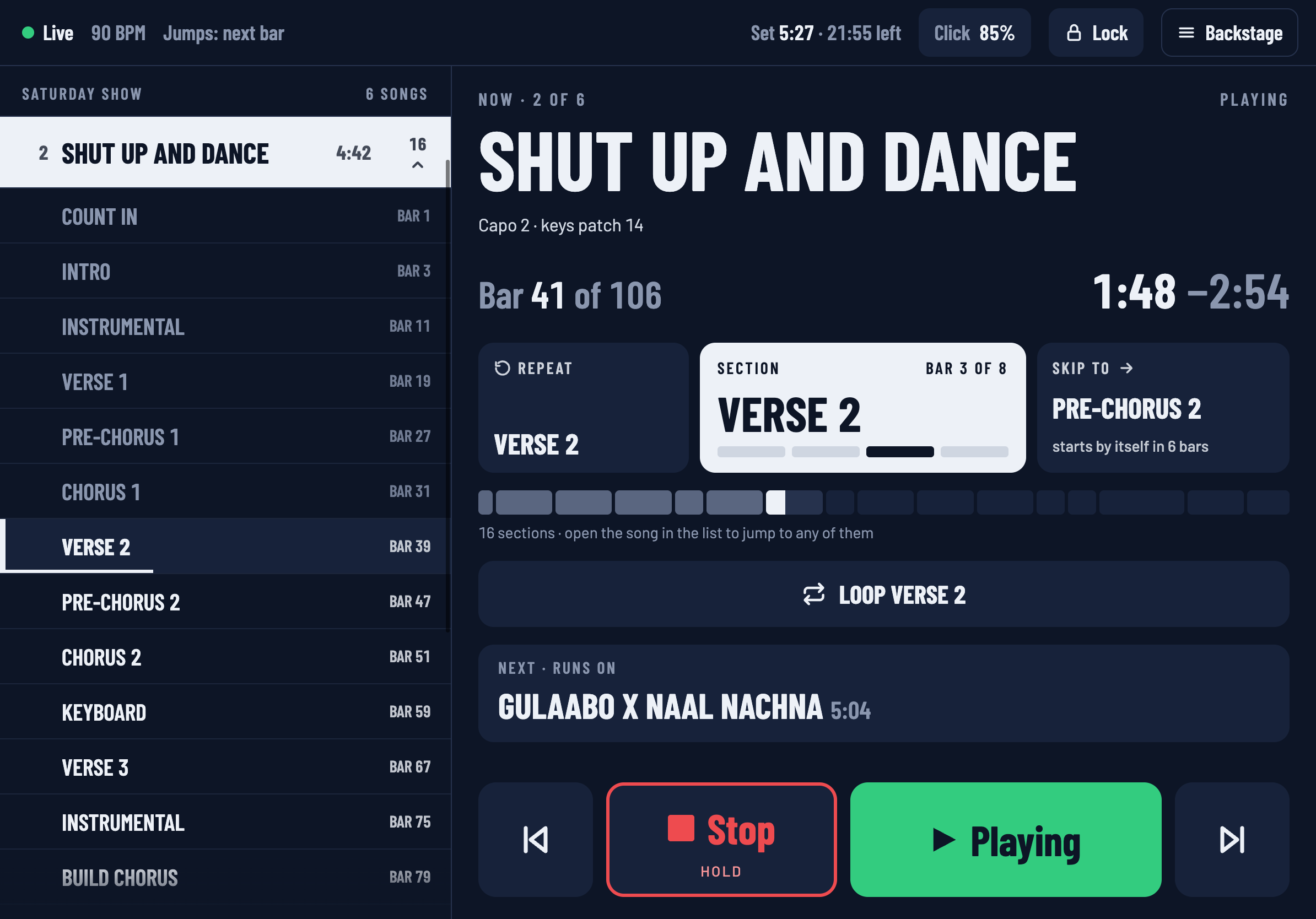
Downstage 0.9.0 · updated 13 Oct 2026Downstage is a setlist controller for Ableton Live. Your Live set runs on the laptop as it always has. Downstage puts it on an iPad at the front of the stage, so you can see where you are in the show and move around it without reaching back for the trackpad.
What you can do with it
- See the show. Which song, which section, which bar, how long is left, and what comes next — readable at arm's length in a dark room.
- Jump to any song or section. Tap it and it goes amber. Live makes the jump itself, on the next bar line, so it is always in time.
- Repeat, skip and loop. Go round the chorus again, skip a bridge, or hold a section until you let it go.
- Build a setlist for each gig from one Live set, without moving anything in the arrangement.
- Show the whole band. Any phone on the network can open a view-only screen.
How it fits together
There are three parts, and you install one of them.
| Part | Where it runs | What it does |
|---|---|---|
| Downstage | The Mac that runs Ableton Live | Talks to Live, remembers your setlists, and serves the screens. |
| The connector | Inside Live, as a control surface | Lets Downstage read your locators and ask Live to jump. Downstage installs it for you. |
| The screens | An iPad, a phone, any browser | Open http://downstage.local. Nothing to install. |
Everything runs on your own network. There is no account and nothing needs the internet — not at home and not at the venue.
What it will never do
Downstage is built around a few promises. They are the reason it is safe to put between you and a paying audience.
- It is never in the audio path. Downstage sends Live instructions. The sound is always Live's. If the iPad dies, the Wi-Fi drops or Downstage itself quits, Live keeps playing.
- Timing happens inside Live. A jump is a request that Live carries out on its own bar line. A slow network makes a request arrive a little later; it cannot make a jump land off the beat.
- It never opens your Live set file. Setlists and notes are kept in a folder beside it. See How Downstage works for the two things it can change in Live, both only when you ask.
- Stopping the show takes a hold, not a tap. A stray thumb cannot silence the band.
Where to go next
New here? The Quick start takes about ten minutes, from installing to tapping your first song. If something is not behaving, go to Troubleshooting.
Downstage is in beta. These docs describe version 0.9.0 exactly as it is, including what is not built yet — the changelog keeps a list.