Jumping to sections
Repeat the chorus, skip the bridge, or go straight to any part of a song.
Downstage 0.9.0 · updated 13 Oct 2026Once a song has sections, there are two ways to move between them: the two tiles in the Now panel, for the moves you make all the time, and the section list, for everything else.
Repeat and Skip
Either side of the tile that names the section you are in:
- Repeat goes back to the start of the current section.
- Skip to goes to the next section now, instead of when the song gets there. Underneath, it tells you how long that would be: starts by itself in 5 bars.
Tap one while Live is playing and it turns amber and says Armed. The Next card says what is coming — Jumping at bar 43 → Verse 2 again — and Live makes the jump on the bar line.
These two are the moves a band actually makes mid-song — that again and move on — which is why they get the biggest targets on the screen.
Any other section
Open the song in the setlist by tapping the count and chevron at the right of its row. Every section is listed with its full name and the bar it starts on.
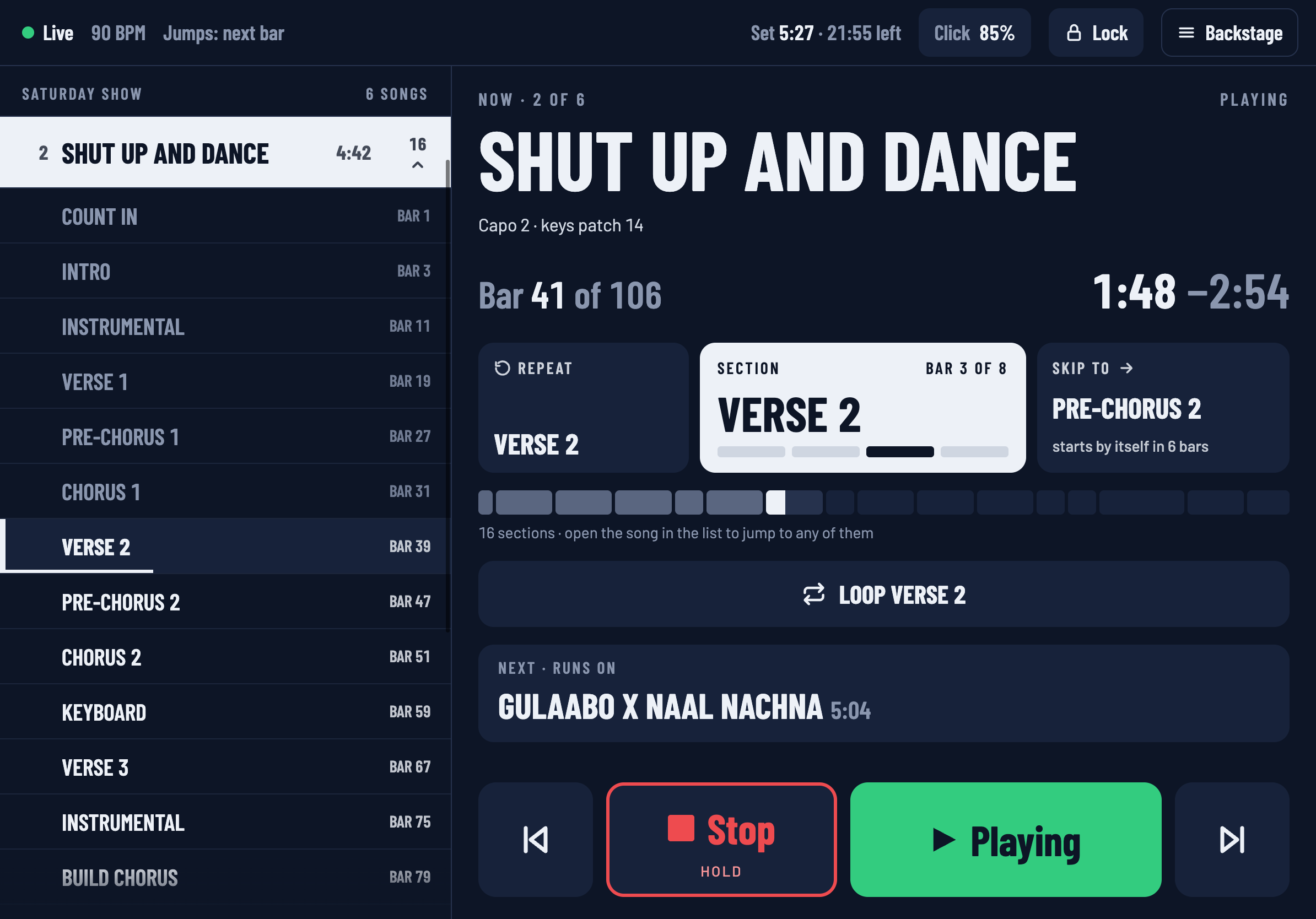
Tap one to jump to it. The row goes amber and says at the next bar, exactly as a song does.
- The section you are in has a bright edge and a line along the bottom that fills as it plays.
- Sections already played are dimmed.
- You can open a song that is not playing and jump straight to a section in the middle of it.
On a narrow window the list is in a sheet instead: tap Sections (or 16 sections ›), tap a section, and the sheet closes so you can see it armed.
Sections you cannot jump to mid-song
Live can only make an in-time jump to a locator. A section that exists only as a clip on the SECTIONS track has nothing for Live to jump to while the song is playing. Downstage shows those clearly rather than offering a tap that does nothing:
- In the list, the row is dimmed and tagged stopped only.
- On a tile, it says Add a locator in Backstage.
There are two ways to deal with it:
- Stop first. While Live is stopped, every section can be tapped — see below.
- Add locators. Backstage › Sections adds a locator for every section in a song with one button. After that they can all be jumped to mid-song.
While Live is stopped
With Live stopped there is no bar line to wait for, so every section can be tapped, with or without a locator. The playhead goes straight there, and Play starts from it.
This is what you want in rehearsal: stop, tap the chorus, play it again.
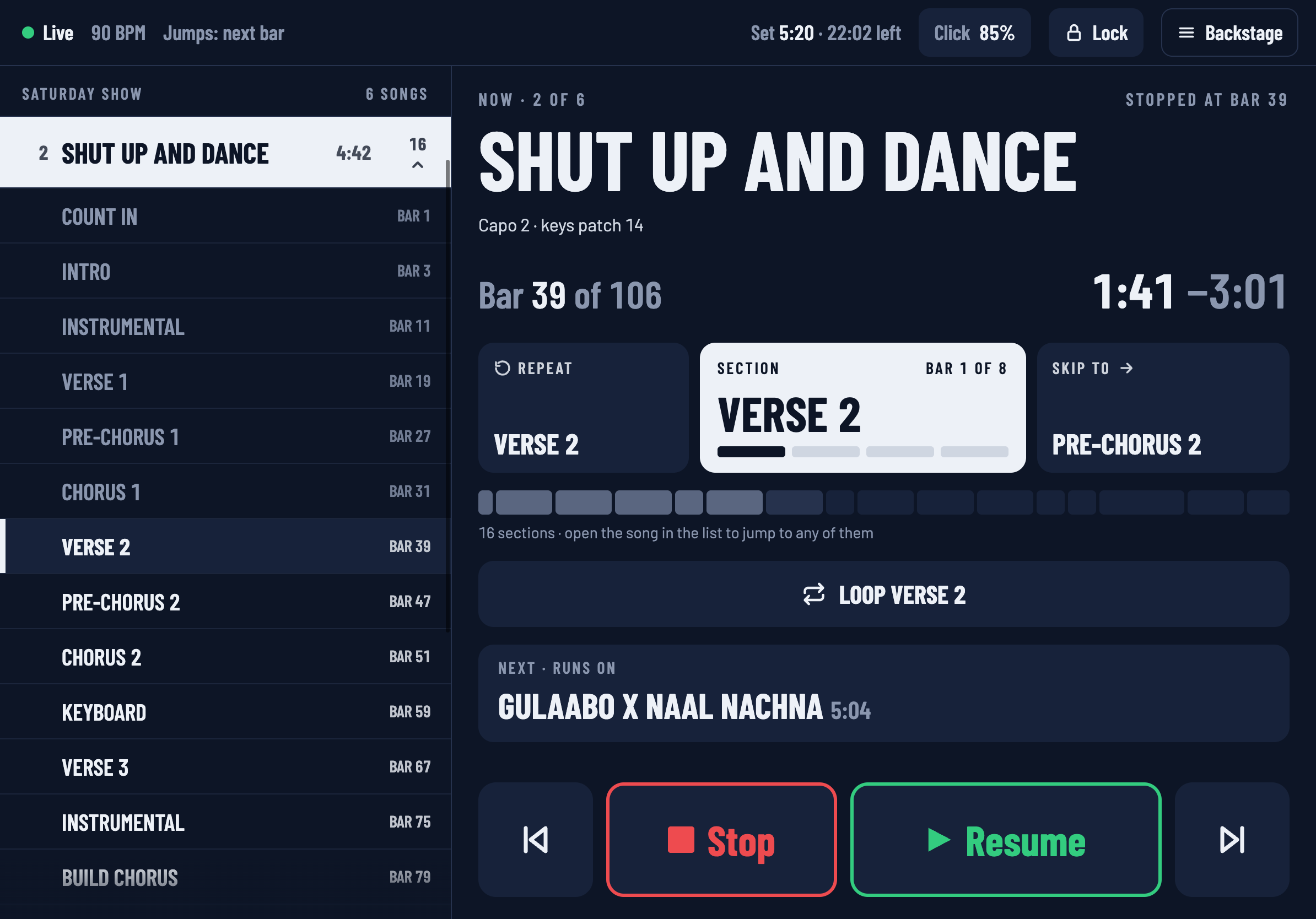
The timeline is not a control
The row of blocks under the tiles shows the shape of the song and where you are in it. It does not respond to taps. With sixteen or twenty-nine sections, blocks that small would be impossible to hit reliably on stage, so jumping is done from the list and the tiles, where the targets are big.