Adding section locators
Let Downstage add a locator for each section, so every one of them can be jumped to mid-song.
Downstage 0.9.0 · updated 13 Oct 2026If you marked your sections with clips on a SECTIONS track, you can see them and start from them while stopped — but Live can only jump to a section mid-song if there is a locator there. Backstage › Sections adds those locators for you.
What it does
For every section that has no locator, it adds one at the section's first beat, named with a
leading >:
> Chorus 1A section's {note} goes into the name with it.
- Nothing that is already there is moved, renamed or removed. A section that already sits on a locator is left alone.
- Nothing is saved. The locators are added to the set that is open in Live. They only become permanent when you save in Ableton, and ⌘Z in Live takes each one back.
- Only while Live is stopped. The buttons are disabled while it is playing, and if Live starts playing part-way, Downstage stops adding.
This is the only time Downstage writes anything into your Live set, and it only does it when you press the button.
Do one song first
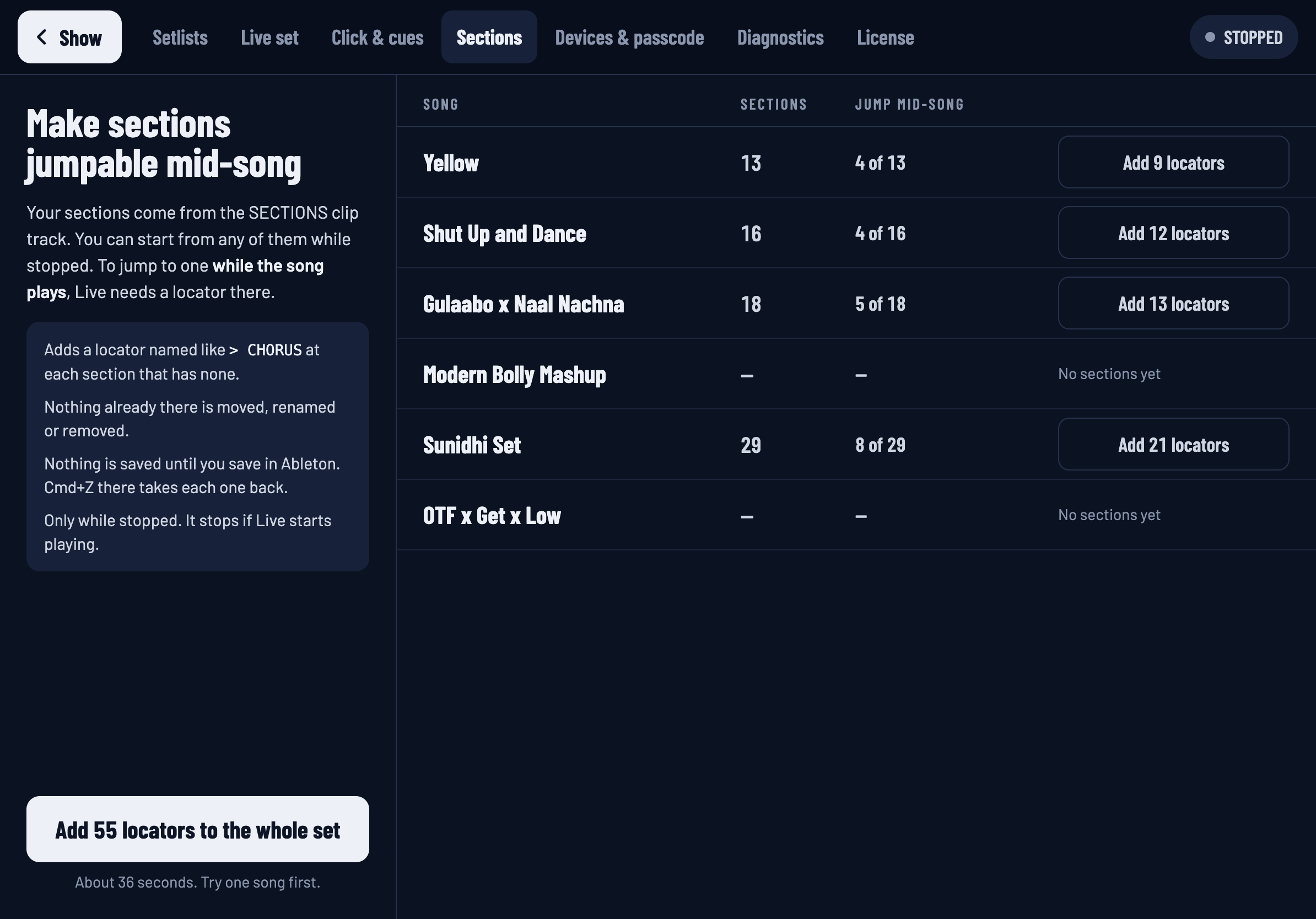
The table lists every song with how many sections it has and how many can already be jumped to mid-song — 4 of 16.
- Save your Live set first, so you have a clean point to go back to.
- Stop Live.
- Press Add 12 locators on one song's row.
- Watch the row count up. It takes about half a second per section.
- Look at the arrangement in Live. The new locators are there, each named after its section.
When you are happy, do the rest. Add … locators to the whole set on the left does every remaining song in one go, and says roughly how long it will take.
Stop adding stops after the locator in hand. Whatever has been added stays.
Why it takes a moment
Live has no "add a locator at bar 41". It has one command that adds a locator where the playhead is — and removes one if there is already one there. So for each section Downstage moves the playhead, checks that it arrived, adds the locator, checks that exactly one appeared, and names it, waiting for Live to confirm each step before the next. You will see the playhead hop along the song in Live. When it finishes, the playhead is put back where it was.
If any step does not check out, Downstage stops and tells you which section it was on, and how many were written. Nothing is left half-done on a section.
Afterwards
- The sections that were stopped only can now be tapped while the song plays.
- Repeat and Skip to work for them.
- The SECTIONS track can stay or go. Where a clip and a locator mark the same spot, Downstage treats them as one section.
If you later add more clips, come back here: the table will show the new ones as needing locators.