Building a setlist
A running order for each gig, made from the songs in one Live set — without moving anything in the arrangement.
Downstage 0.9.0 · updated 13 Oct 2026A setlist is an order to play your songs in. Your arrangement stays exactly as it is; the setlist only decides where Live goes next. One Live set can have as many setlists as you have gigs.
Setlists are made in Backstage › Setlists. Opening Backstage never stops or changes what is playing, and the top of the page always shows what Live is doing.
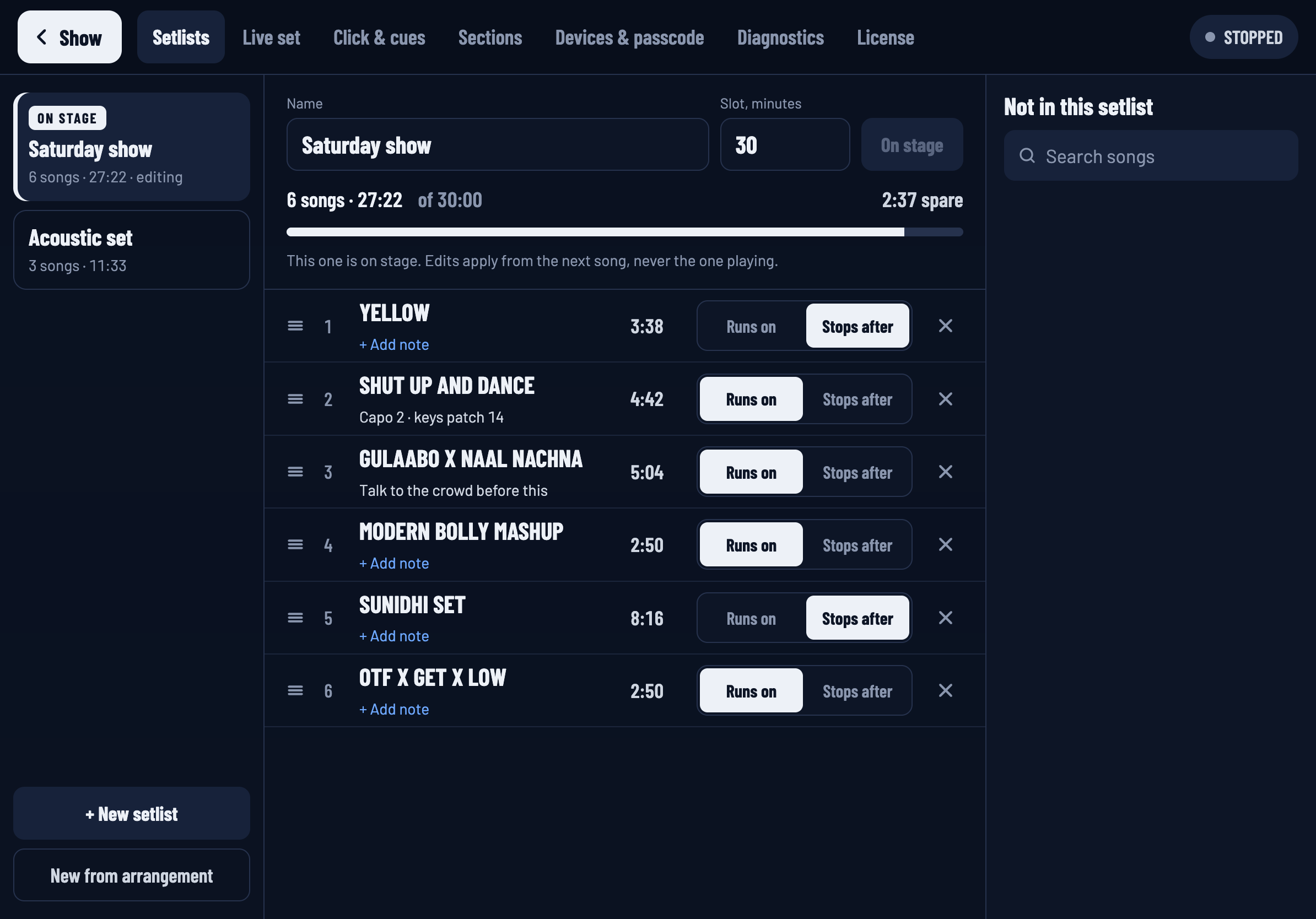
Setlists are saved beside your Live set, so Downstage has to know which set that is. If the page says to choose your Live set first, do that in Backstage › Live set.
Make one
At the bottom of the left column:
- New from arrangement starts a setlist with every song, in arrangement order. Usually the quickest start — then remove what you are not playing.
- + New setlist starts an empty one.
Give it a name in the Name field: the venue and the date works well. Every change is saved as you make it. There is no Save button.
Put the songs in order
Each row is a song.
- Reorder by dragging the handle at the left of a row. From a keyboard, focus the handle and use the up and down arrow keys.
- Remove a song with the × at the right. It goes to the list on the right, Not in this setlist.
- Add a song with the + beside it in that list. Search at the top if the list is long.
Each row also has a note and a choice of what happens when the song ends — Runs on or Stops after.
The line above the rows adds it up: 6 songs · 27:23. With a slot length set, it also says how much time you have spare.
Put it on stage
Editing a setlist and playing from it are separate things.
- Selecting a setlist in the left column only opens it for editing. It changes nothing on stage.
- Put on stage makes it the running order on every show screen. The one on stage carries an ON STAGE badge.
Put on stage is only available while Live is stopped. Swapping the running order under a song that is playing would change what "next" means while someone is counting on it.
Editing the setlist that is on stage is fine at any time. Changes apply from the next song, never the one playing.
Without a setlist
If no setlist is on stage, the show screen lists every song in arrangement order, and Live plays through the arrangement as it normally would. There is no set clock, because there is no set to measure.
On a narrow window
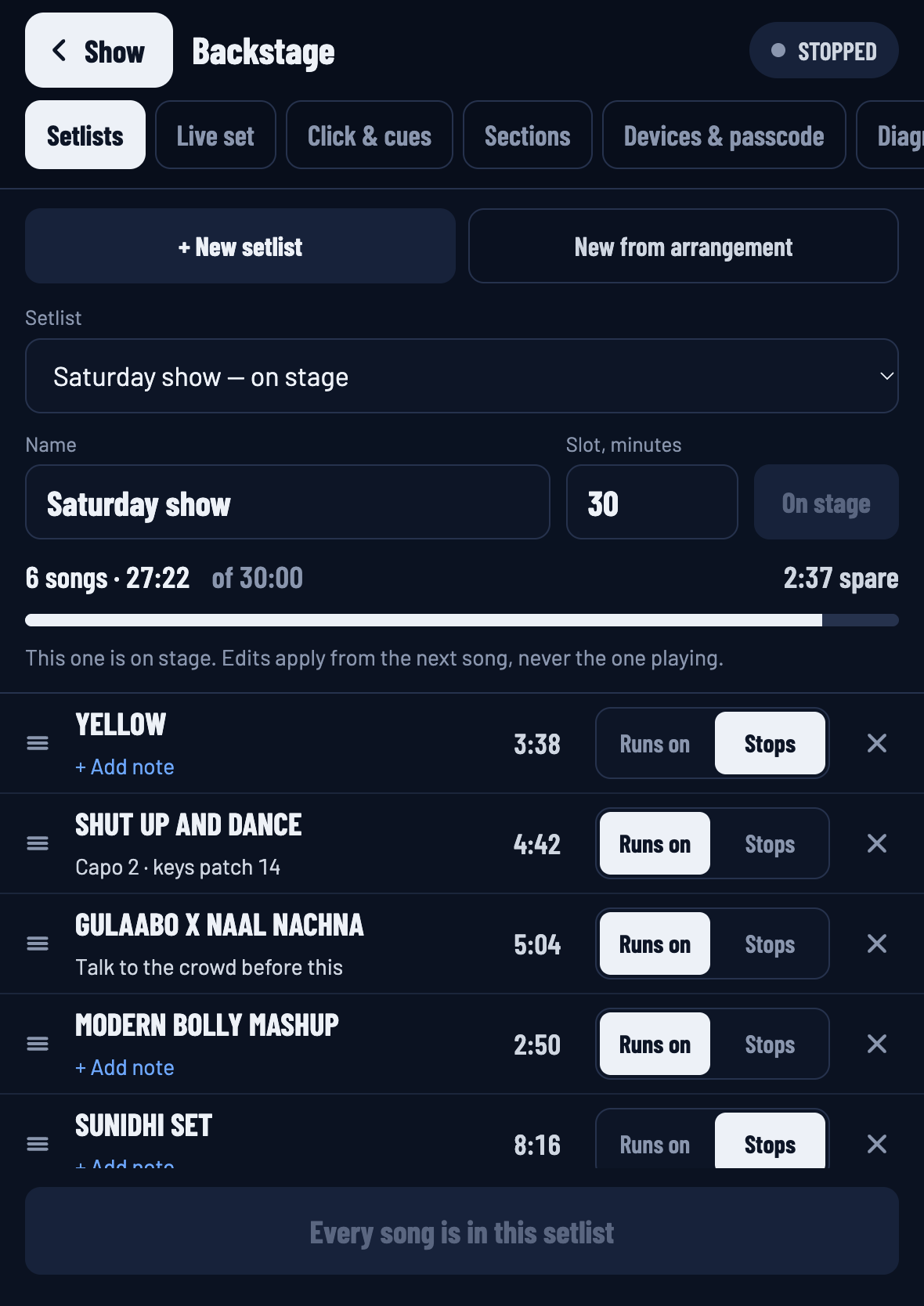
In half an iPad's width or less, the left column becomes a Setlist picker at the top, and the songs not in the setlist move behind an + Add songs button at the bottom.
Where setlists are kept
In a folder called .downstage, beside your Live set file. Copy or move the whole project folder
and your setlists go with it. Your .als file is never opened or changed. More in
How Downstage works.