Click and cue tracks
Naming your click and cue tracks so the level of each can be changed from the iPad mid-set.
Downstage 0.9.0 · updated 13 Oct 2026"More click." "Less cues." Those are the two things someone asks for in the middle of a set, so they are the two faders Downstage puts on the iPad.
It is deliberately not a full mixer. A mixer on a touchscreen is the one feature that could silence the band with a stray thumb.
Name the tracks
Downstage finds the two tracks by name. Nothing needs configuring, and nothing in your set is changed.
| A track with this word in its name… | …is the |
|---|---|
CLICK or CLICKS | Click |
CUE, CUES, GUIDE or GUIDES | Cues |
- Capitals do not matter, and the word can be part of a longer name:
Click 4-4,Guide VoxandMetronome +CLICKall match. - It has to be a whole word. A track called
Clicker Loopis not the click. - The first match wins, counting down the track list. Live lists a group before the tracks
inside it, so if you have a group called
Clicksholding several click tracks, the group is used — and its fader moves every click at once, which is what "more click" means.
If a set has no matching track, that fader is simply greyed out. The Click & cues tab in Backstage shows which tracks were found.
The panel
The top of the show screen shows the click's level: Click 85%. Tap it to open the panel.
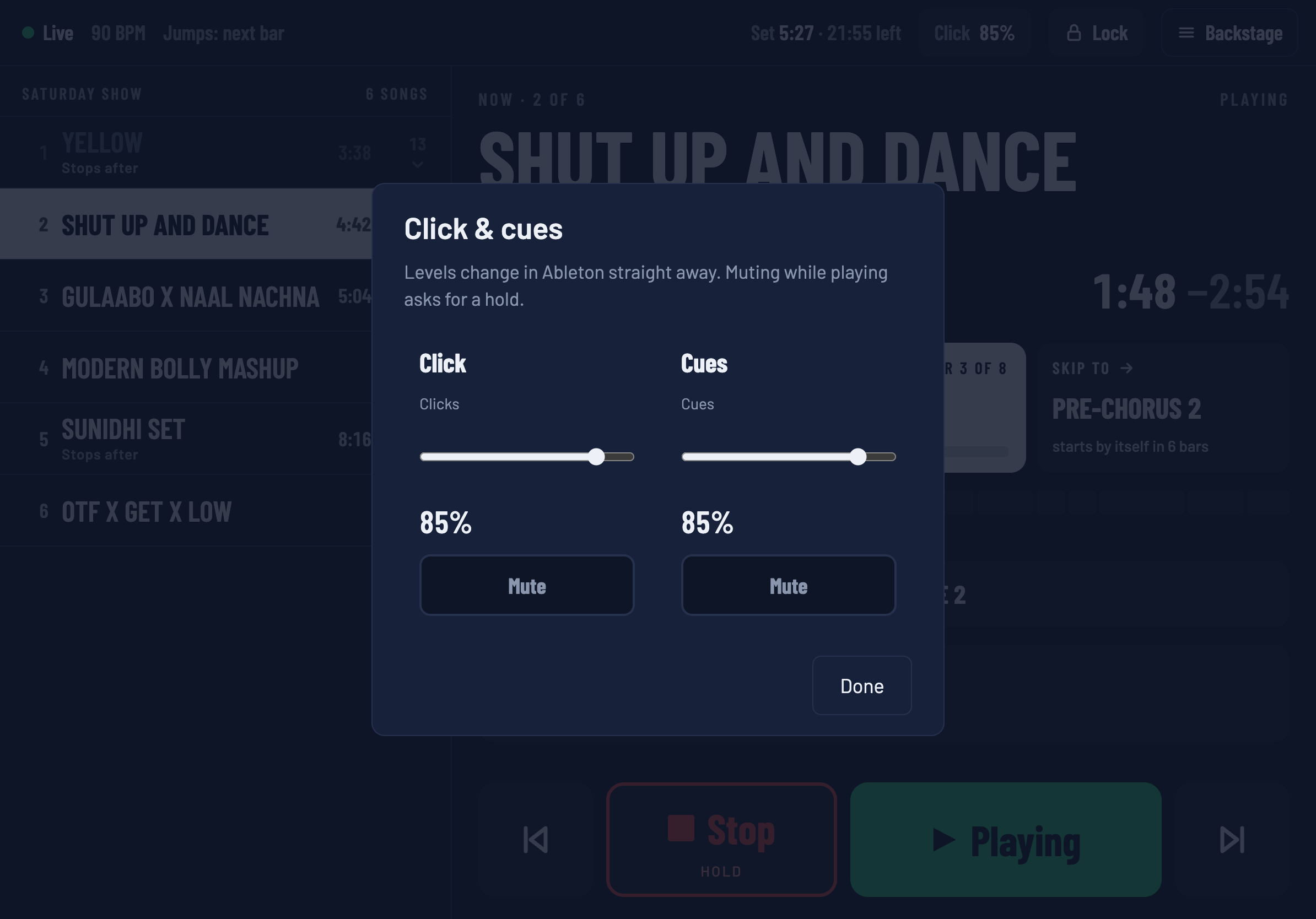
- Slider. Moves that track's fader in Live straight away. The number is a percentage of the fader's travel, not decibels.
- Mute. While Live is playing, muting asks for a press and hold, the same as Stop — taking the click away from a drummer mid-song should never be an accident. While stopped, a tap does it.
Changes show on every connected screen. If someone moves the fader in Live instead, the iPad follows.
These are the faders of your real tracks. A level you set from the iPad is the level in your Live set, and is saved with it the next time you save in Live.